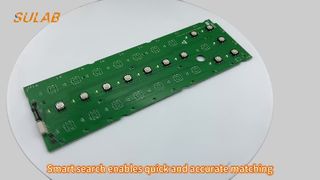
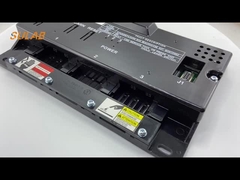
Brief: Need quick answers about practical use? This video highlights the essentials. Watch a detailed walkthrough of the Xizi Otis Elevator Car Auxiliary Intercom, demonstrating its installation on the car operation panel, its two-wire bus communication for seamless three-party calls, and key maintenance steps to ensure optimal performance.
Related Product Features:
Designed as a standard car auxiliary intercom specifically for OTIS/Xizi OTIS elevators, compatible with GEN2 and OH5000 systems.
Utilizes two-wire bus communication technology for reliable three-party calls between the car, machine room, and monitoring center.
Powered by a stable DC24V power supply for consistent operation in elevator environments.
Features an embedded buckle installation system for secure mounting and compatibility with XO5249B series bases.
Maintains an IP30 protection rating, offering basic protection against solid objects and ensuring durability.
Compact design optimized for installation in space-constrained elevator cars, fitting standard communication panel openings.
Engineered for the 601WF-B5 communication system, ensuring professional integration and performance.
Includes easy maintenance features such as accessible wiring terminals and cleanable dust-proof nets on microphone and handset.
FAQs:
Which elevator models is this intercom compatible with?
The Xizi Otis Elevator Car Auxiliary Intercom is specifically designed for OTIS/Xizi OTIS elevators and is compatible with mainstream models including GEN2 and OH5000 systems, ensuring reliable integration and performance.
How is the intercom installed and what are the key wiring considerations?
It is installed on the side of the car operation panel using an embedded buckle system. During wiring, it is crucial to correctly distinguish positive and negative poles and match communication lines between the car roof and machine room to prevent communication issues from reverse connection.
What are common troubleshooting steps if the intercom has no sound or response?
For issues like no response, no sound, or excessive noise, first cut off power to check line continuity and polarity. Then verify main unit compatibility, and if necessary, replace with the same model intercom to restore functionality.
What maintenance is required to keep the intercom functioning properly?
Regular maintenance includes inspecting wiring terminals for looseness and cleaning the dust-proof nets on the microphone and handset to prevent dust blockage, which can affect sound quality and overall performance.